
Cloud Backup
Continuous offsite protection for files, folders, and shares.
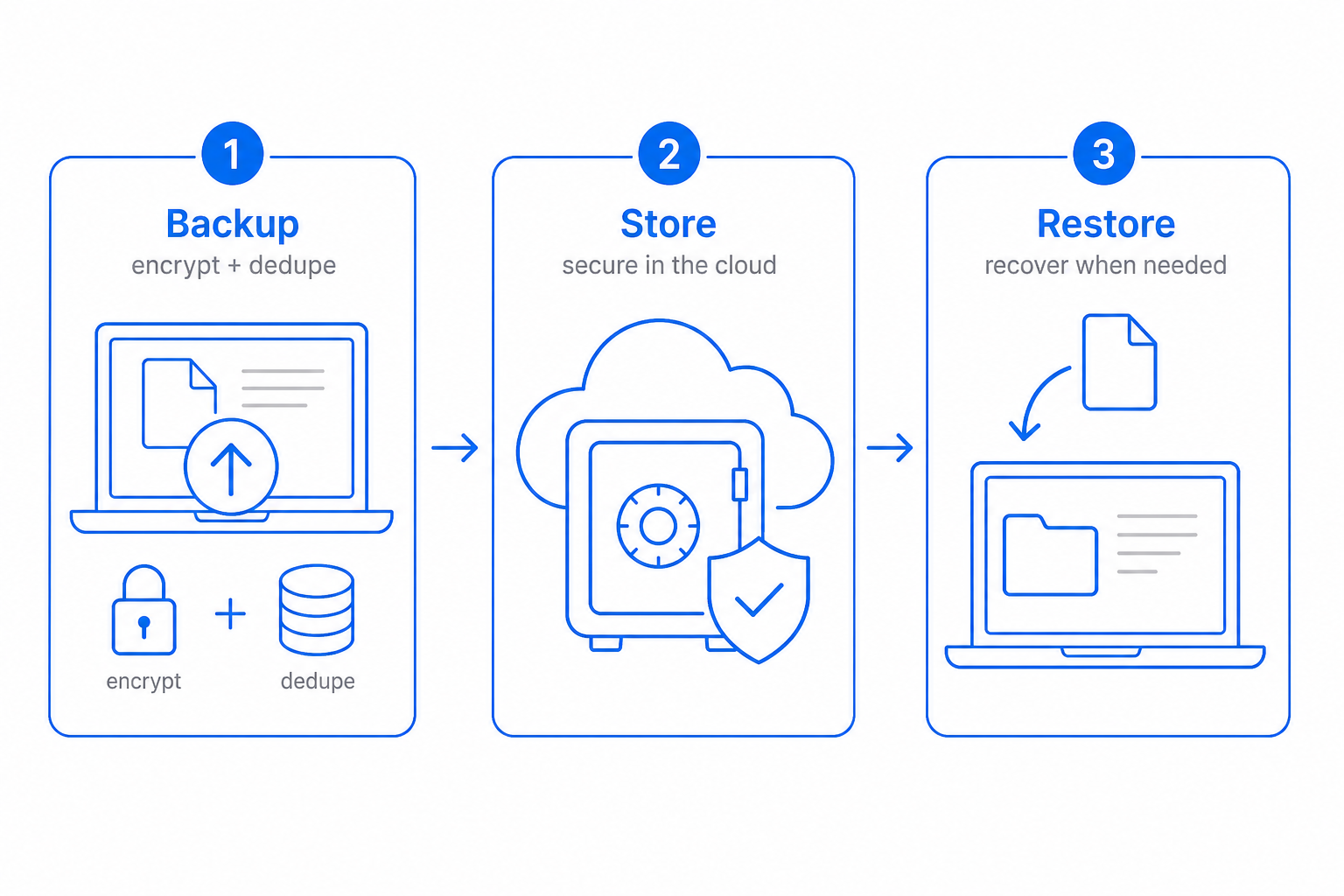
Cloud backup is the version of "I had a copy" that survives both fires and admin mistakes. CloudIP installs an agent on the source machine, encrypts data on the device, and ships only changed blocks to a vault you control.
Initial seeds run in the background; ongoing backups are incremental and content-aware, so a 2 TB workload usually transfers a few hundred megabytes per day. When you need a file back, the file index is a search box.
Inside Cloud Backup
Specifics that distinguish CloudIP Cloud Backup from the alternative.
Encrypted on device, encrypted at rest
AES-256 happens before bytes leave the machine. Vault keys are tenant-scoped and never shared between customers.
Content-aware deduplication
Blocks are hashed and stored once. The same Word template across a hundred laptops costs you the storage of one.
Bandwidth caps and schedules
Throttle by time of day, by network, or by job. No more "the backup tool is saturating the WAN" tickets.
File-index search and restore
Find a file by name across every snapshot in the chain, restore in place or to a new location, in seconds.
Cloud Backup on the CloudIP platform
Where this capability lives, who runs it, and what it shares with the rest of the system.
Cloud Backup runs as part of the CloudIP Backup & Recovery module on the same multi-tenant infrastructure as every other capability you use. There is no separate console to log into and no separate billing line: cloud backup is provisioned the moment your tenant is created and stays in lockstep with the rest of the platform as it grows.
Operators interact with cloud backup through the Backup & Recovery interface they already know — the same record screens, the same audit trail, the same role and permission model. Behind the scenes, encrypted on device, encrypted at rest handles the heavy lifting, while file-index search and restore keep the experience consistent across teams. Configuration changes are versioned, exportable, and reviewable, so the way you run cloud backup today is reproducible tomorrow.
Because Cloud Backup reuses the platform's user database, every action is attributable, every record has a stable ID, and every export honours the tenant's data residency choice. That means cloud backup reports tie out to the rest of the books, audit logs, and operational dashboards without an integration step in between.
Cloud Backup fits inside CloudIP Backup & Recovery alongside the other backup & recovery capabilities — they share the same data model, so improvements in one tend to compound across the others. If you are evaluating CloudIP specifically for cloud backup, the rest of Backup & Recovery comes along at no extra cost.
Common questions about Cloud Backup
Sync services protect the latest version. If a file is corrupted, encrypted, or deleted, the corruption syncs everywhere within minutes. CloudIP cloud backup keeps every historical version on a schedule you control, in a vault no end-user can write back to, so you can recover the file from before the incident.
More from Backup & Recovery
Full-system protection for Windows Server, Linux, and virtualization hosts.
Laptop and desktop protection that survives lost or stolen devices.
Restore an entire machine to identical or replacement hardware.
Roll back to a clean point-in-time after an attack — in minutes.
Tamper-proof restore points that no admin (or attacker) can delete early.
Copies of your data live across seven US regions, automatically.
Try Backup & Recovery free for 14 days
See Cloud Backup alongside the rest of the platform on real data.